With the base Proxmox install finished, the next step in the rebuild was getting the networking model right before deploying any containers or virtual machines. As has been the theme of this rebuild, this required a lot of thought to make sure I was going in the right direction for long-term deployment. Networking has been a big focus thus far, and these concepts still apply:
- Keep management interfaces on the Management VLAN.
- Keep exposed services on the Services VLAN.
I could have done this with a basic VLAN-aware bridge and manual VLAN tags on each VM or LXC. However, Proxmox VE includes Software-Defined Networking, and this rebuild felt like a good opportunity to learn it instead of just repeating the simplest working approach.
Why SDN#
The main benefit of using Proxmox SDN for this setup is readability and consistency. Instead of assigning a VM or container to vmbr0 and manually remembering that VLAN 10 is management and VLAN 11 is services, I can expose named virtual networks:
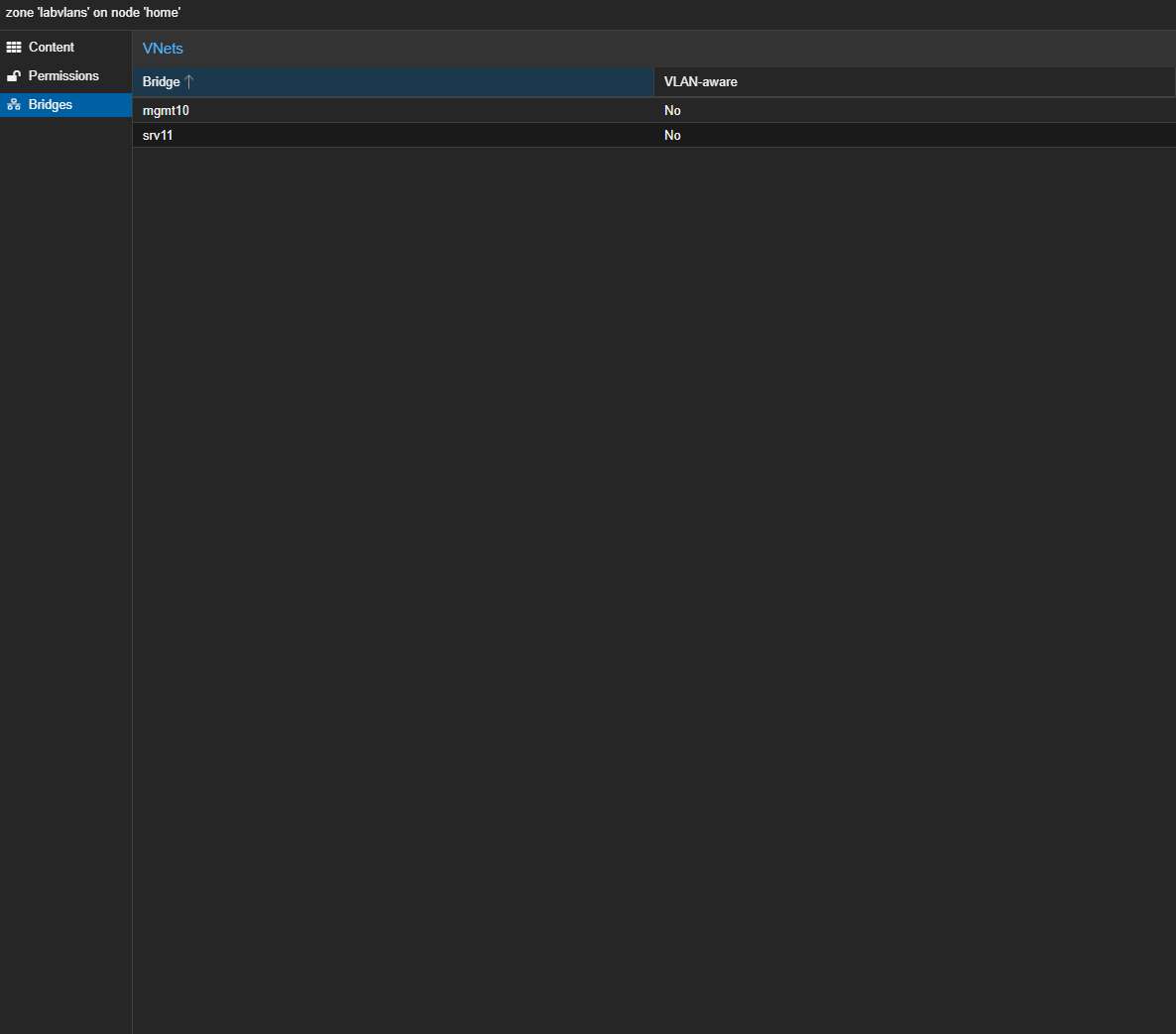
mgmt10 > Management Network
srv11  > Services Network
That makes the intended network placement more obvious when creating or editing guests. For example, a split-network container could eventually look like this:
net0 > mgmt10
net1 > srv11
That is much easier to reason about than a bunch of bridge names and VLAN tags. This also matters when I start rebuilding Docker-based services. When publishing ports, I need to be more intentional about binding services to the correct interface.
Instead of doing something broad like this:
ports:
  - 8080:8080
I need to be thinking more like this:
ports:
  - 172.16.11.x:8080:8080
Or whatever address belongs to the service-facing interface. Binding to 8080:8080 can expose the service on every available interface. Binding to a specific service IP helps prevent accidentally exposing something on the management side.
Starting Network State#
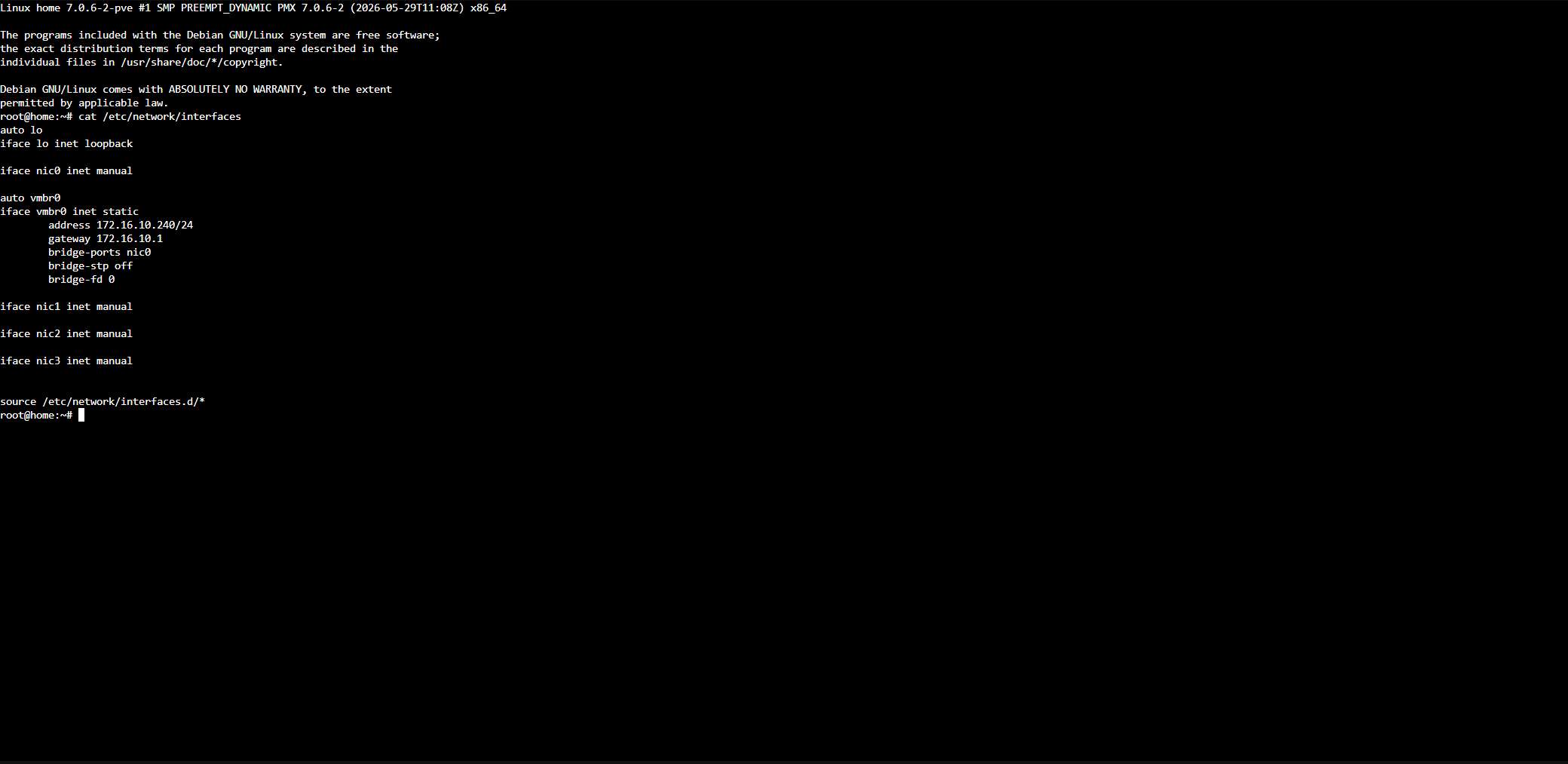
Before making SDN changes, I checked the current Proxmox interface configuration to gather some information.
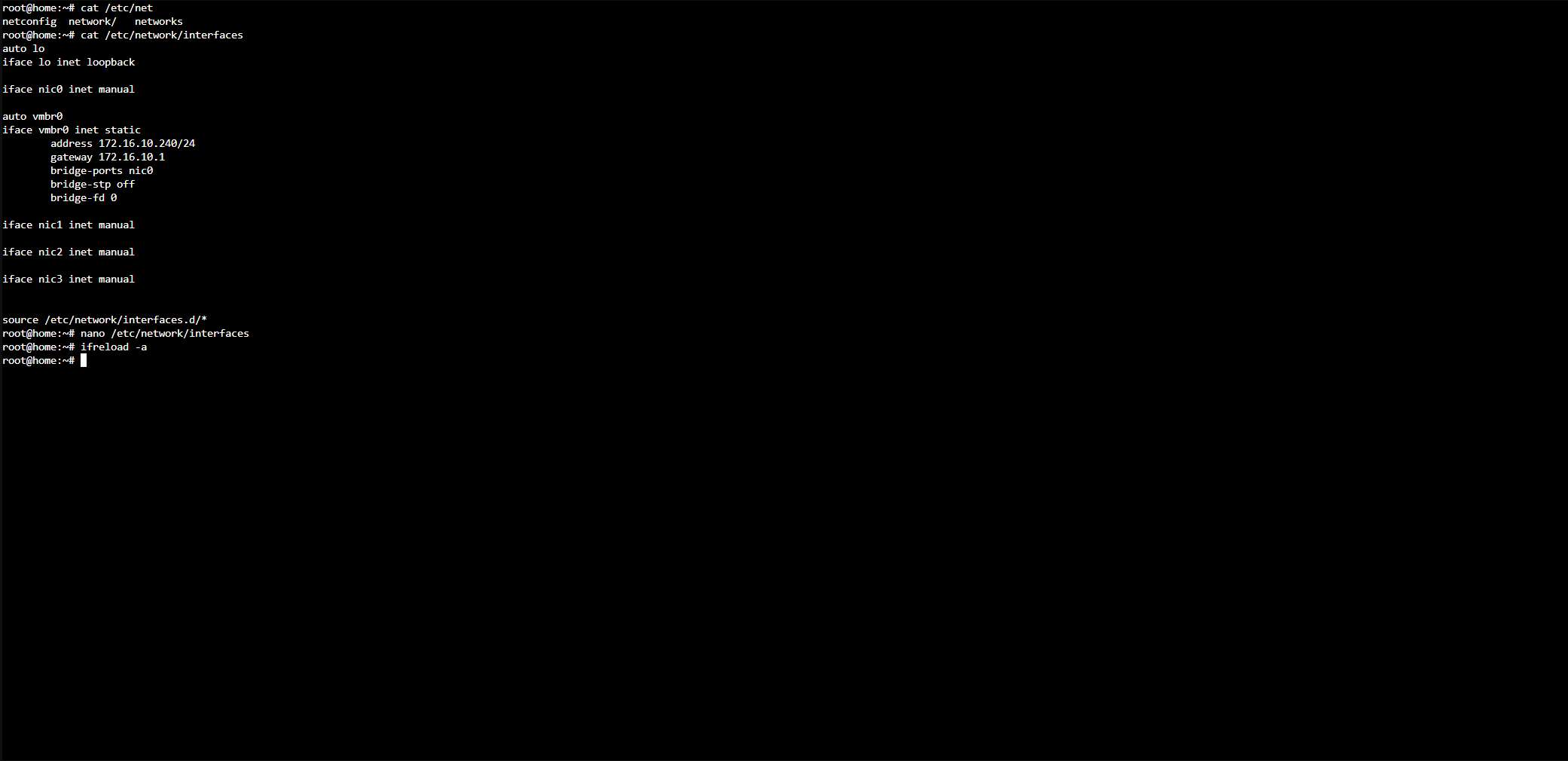
root@home:~# cat /etc/network/interfaces
auto lo
iface lo inet loopback

iface nic0 inet manual

auto vmbr0
iface vmbr0 inet static
        address 172.16.10.240/24
        gateway 172.16.10.1
        bridge-ports nic0
        bridge-stp off
        bridge-fd 0

iface nic1 inet manual

iface nic2 inet manual

iface nic3 inet manual


source /etc/network/interfaces.d/*
At this point, Proxmox is reachable at 172.16.10.240, and the physical uplink is attached to vmbr0. The part I need here is that vmbr0 designation. The Proxmox management IP is directly assigned to it and sending untagged traffic. Then, the upstream network is placing that untagged traffic on the Management VLAN. This works, but it’s flawed for the direction I want to take.
SDN Test#
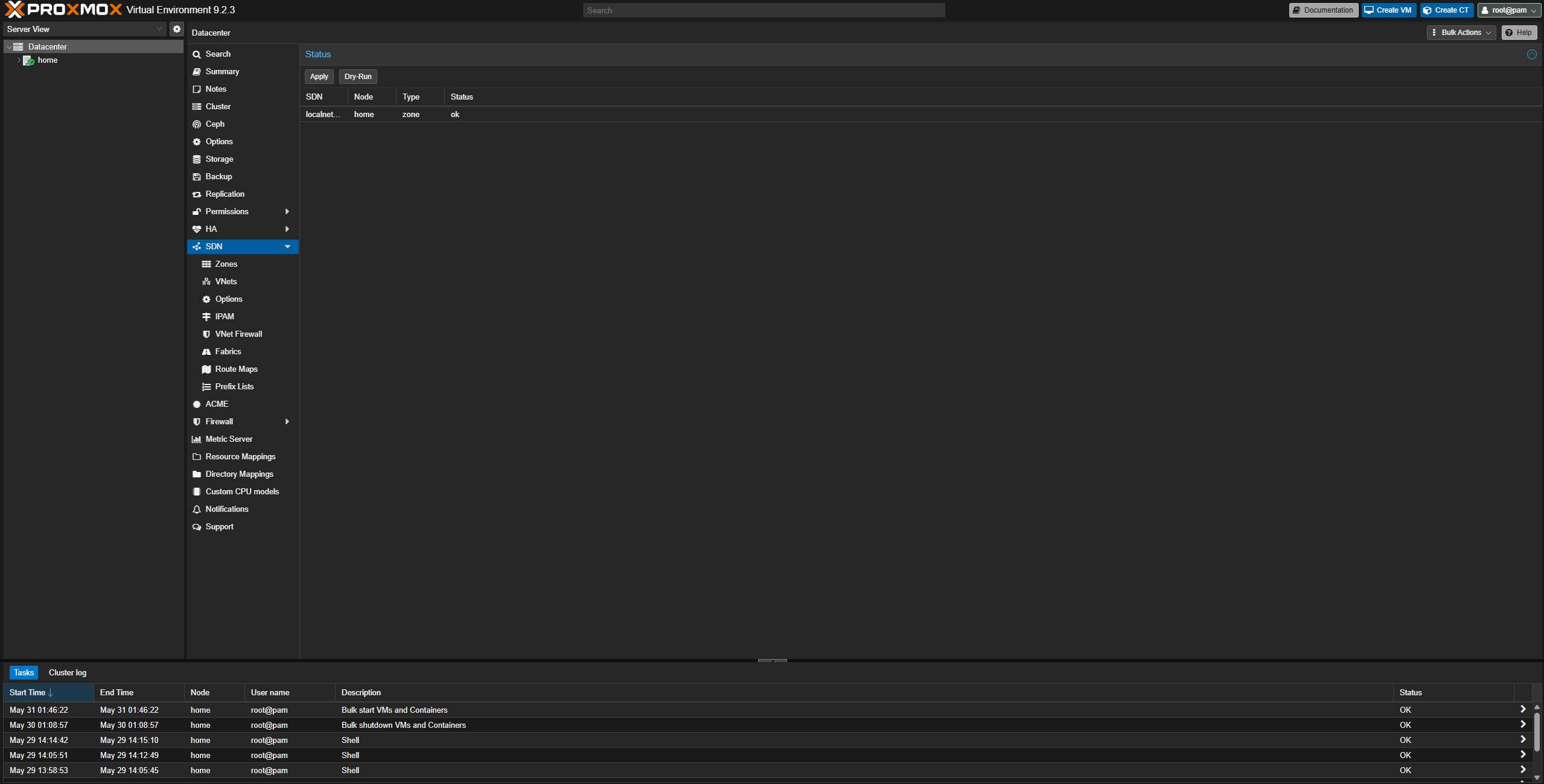
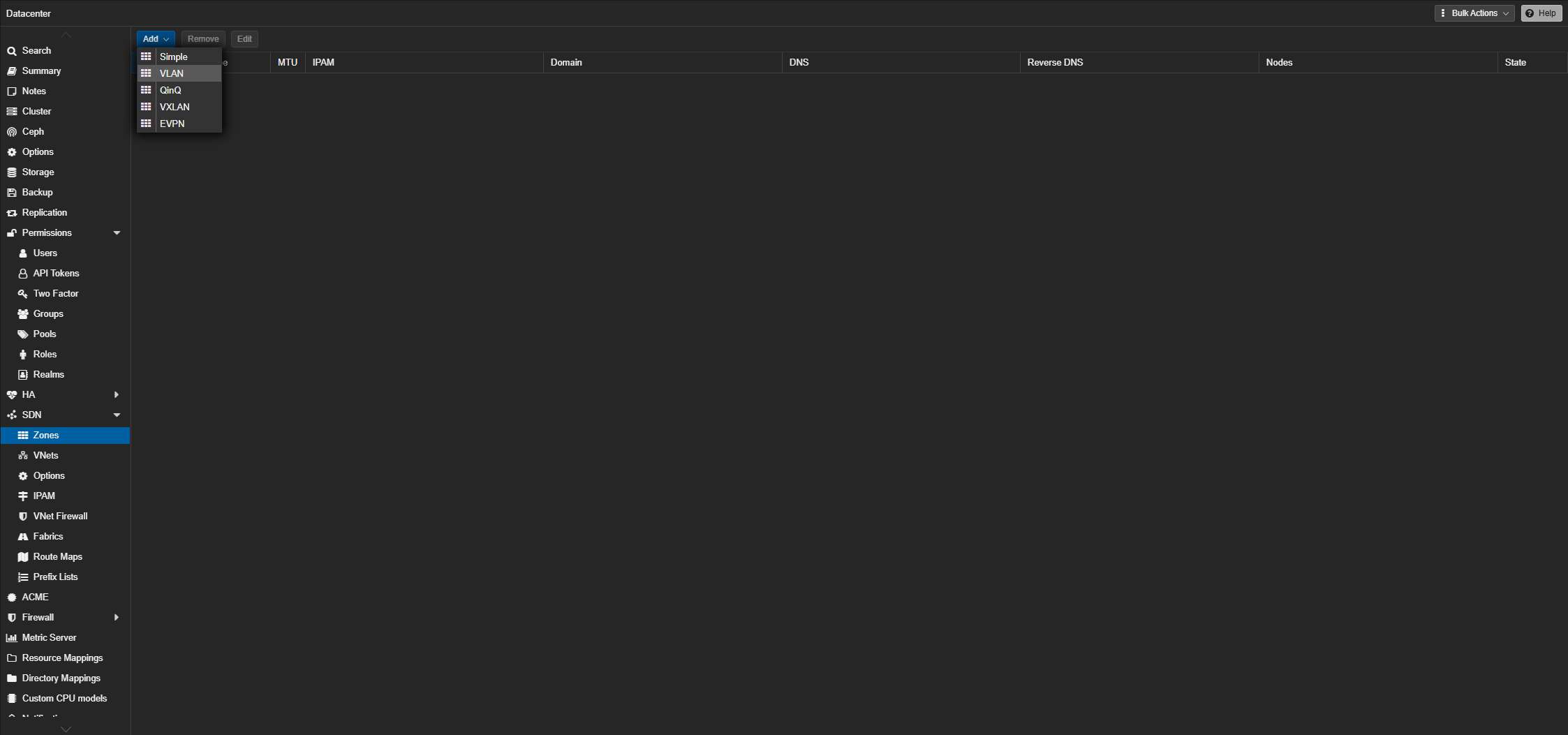
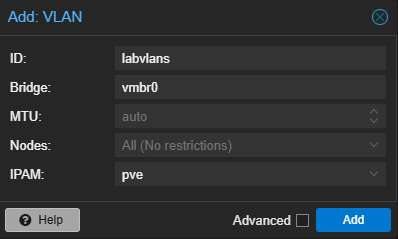
I started by creating a new SDN VLAN Zone.
Zone ID: labvlans
Bridge: vmbr0
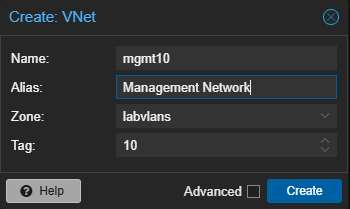
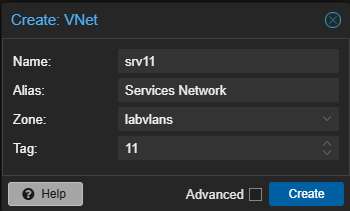
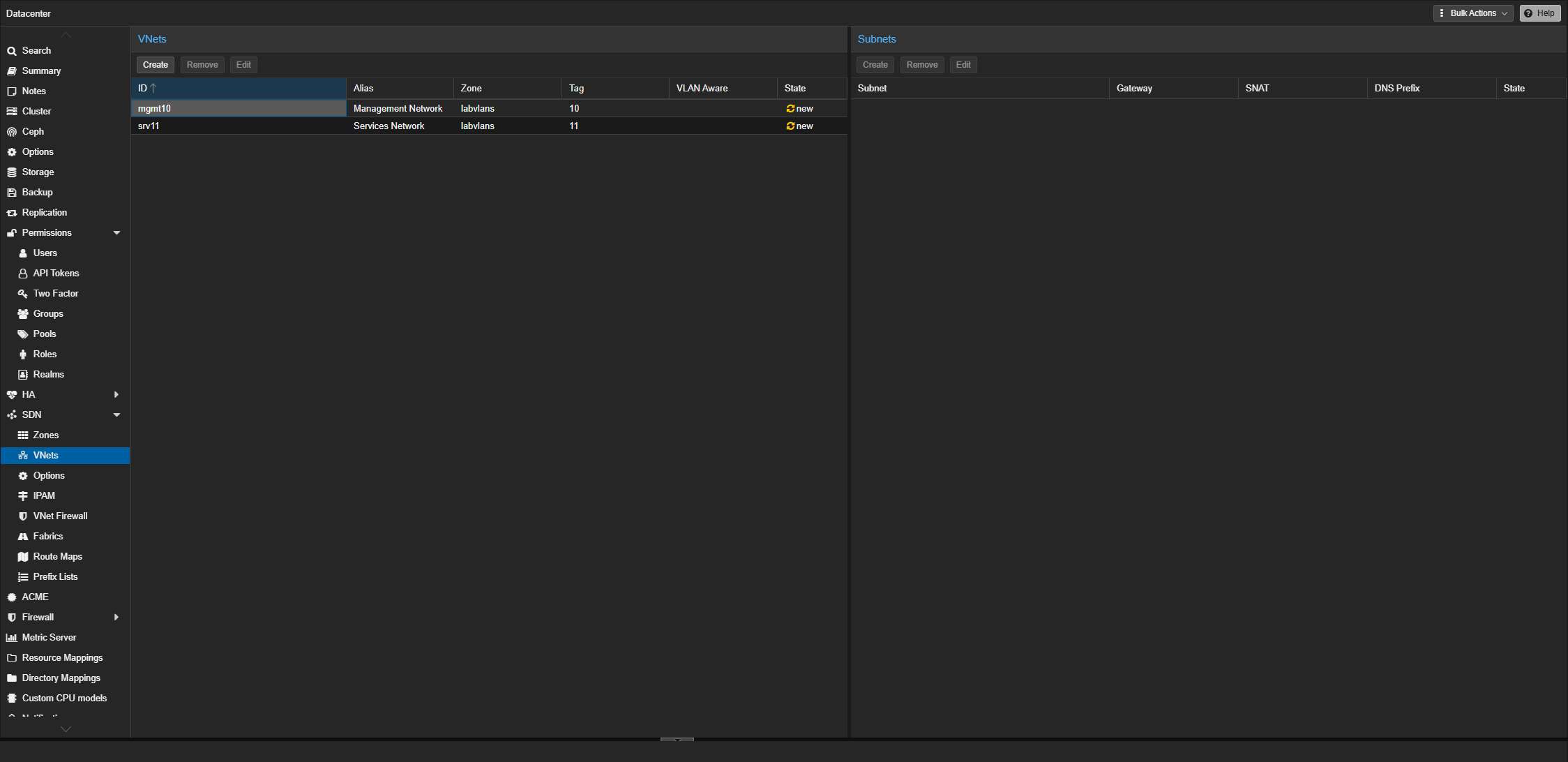
Then I created two VNets.
VNet ID: mgmt10
Alias: Management Network
Tag: 10
VNet ID: srv11
Alias: Services Network
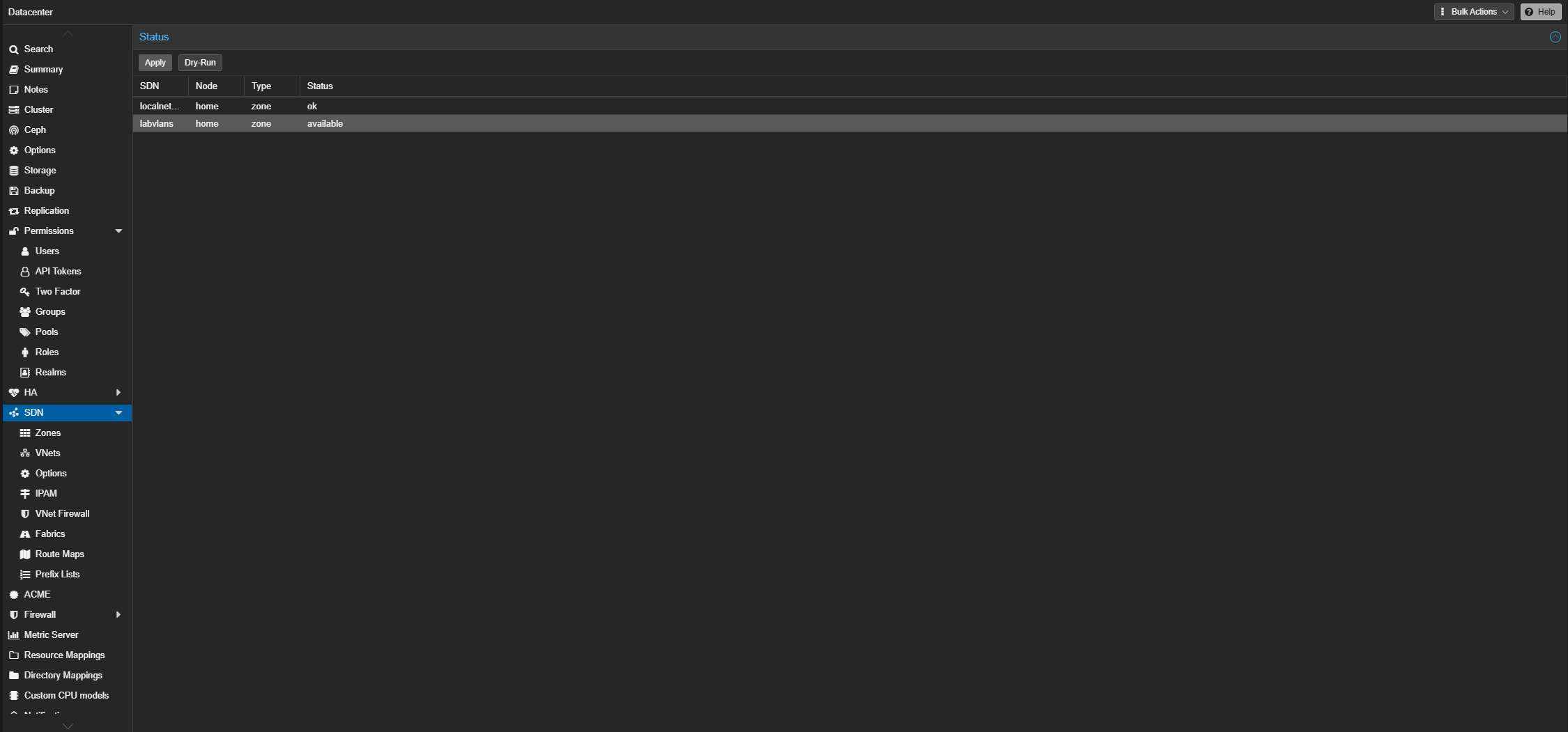
Tag: 11After applying the SDN configuration, I checked the generated interfaces to see what SDN applied.
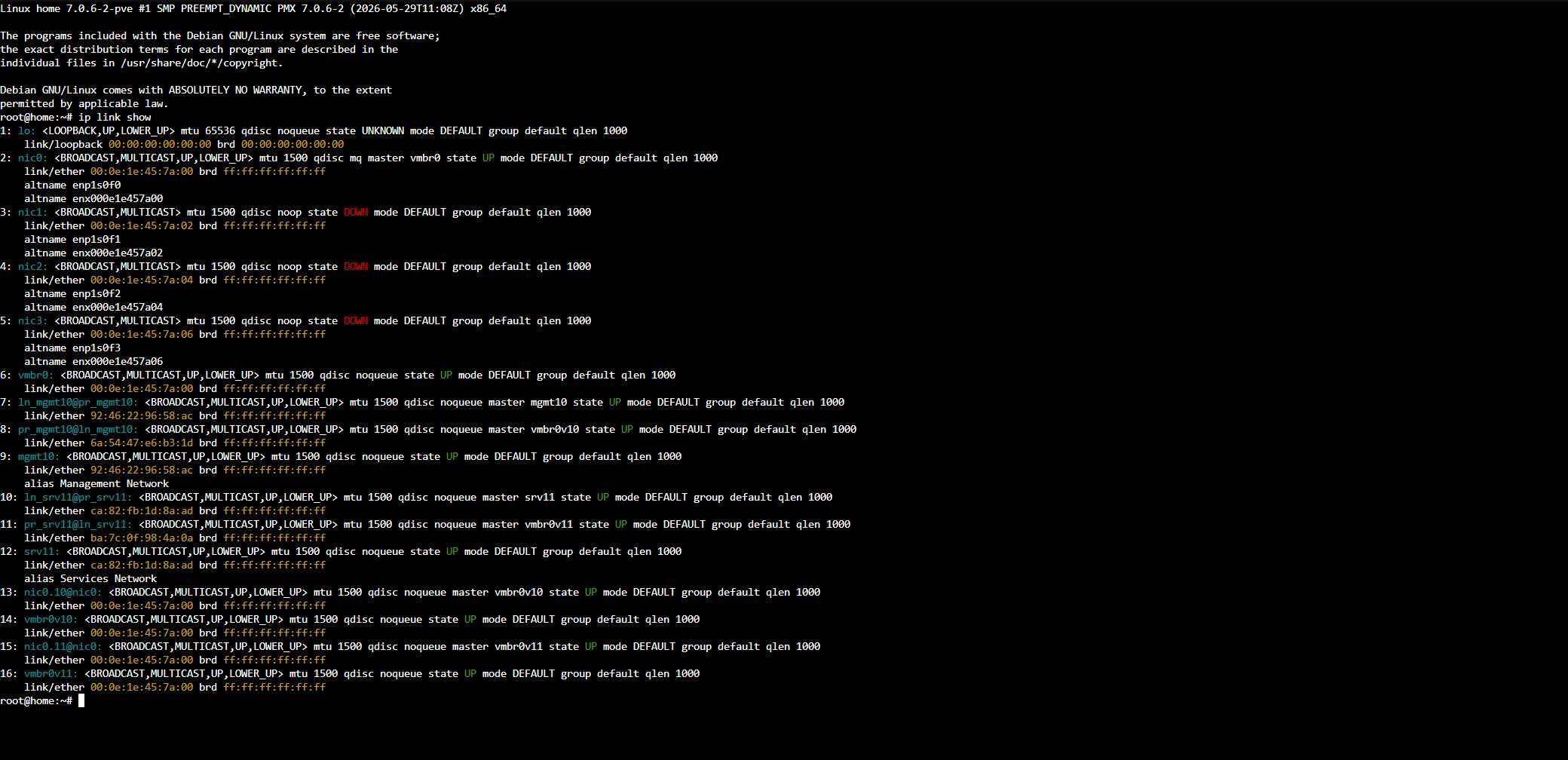
root@home:~# ip link show
1: lo: <LOOPBACK,UP,LOWER_UP> mtu 65536 qdisc noqueue state UNKNOWN mode DEFAULT group default qlen 1000
    link/loopback 00:00:00:00:00:00 brd 00:00:00:00:00:00
2: nic0: <BROADCAST,MULTICAST,UP,LOWER_UP> mtu 1500 qdisc mq master vmbr0 state UP mode DEFAULT group default qlen 1000
    link/ether 00:0e:1e:45:7a:00 brd ff:ff:ff:ff:ff:ff
    altname enp1s0f0
    altname enx000e1e457a00
3: nic1: <BROADCAST,MULTICAST> mtu 1500 qdisc noop state DOWN mode DEFAULT group default qlen 1000
    link/ether 00:0e:1e:45:7a:02 brd ff:ff:ff:ff:ff:ff
    altname enp1s0f1
    altname enx000e1e457a02
4: nic2: <BROADCAST,MULTICAST> mtu 1500 qdisc noop state DOWN mode DEFAULT group default qlen 1000
    link/ether 00:0e:1e:45:7a:04 brd ff:ff:ff:ff:ff:ff
    altname enp1s0f2
    altname enx000e1e457a04
5: nic3: <BROADCAST,MULTICAST> mtu 1500 qdisc noop state DOWN mode DEFAULT group default qlen 1000
    link/ether 00:0e:1e:45:7a:06 brd ff:ff:ff:ff:ff:ff
    altname enp1s0f3
    altname enx000e1e457a06
6: vmbr0: <BROADCAST,MULTICAST,UP,LOWER_UP> mtu 1500 qdisc noqueue state UP mode DEFAULT group default qlen 1000
    link/ether 00:0e:1e:45:7a:00 brd ff:ff:ff:ff:ff:ff
7: ln_mgmt10@pr_mgmt10: <BROADCAST,MULTICAST,UP,LOWER_UP> mtu 1500 qdisc noqueue master mgmt10 state UP mode DEFAULT group default qlen 1000
    link/ether 92:46:22:96:58:ac brd ff:ff:ff:ff:ff:ff
8: pr_mgmt10@ln_mgmt10: <BROADCAST,MULTICAST,UP,LOWER_UP> mtu 1500 qdisc noqueue master vmbr0v10 state UP mode DEFAULT group default qlen 1000
    link/ether 6a:54:47:e6:b3:1d brd ff:ff:ff:ff:ff:ff
9: mgmt10: <BROADCAST,MULTICAST,UP,LOWER_UP> mtu 1500 qdisc noqueue state UP mode DEFAULT group default qlen 1000
    link/ether 92:46:22:96:58:ac brd ff:ff:ff:ff:ff:ff
    alias Management Network
10: ln_srv11@pr_srv11: <BROADCAST,MULTICAST,UP,LOWER_UP> mtu 1500 qdisc noqueue master srv11 state UP mode DEFAULT group default qlen 1000
    link/ether ca:82:fb:1d:8a:ad brd ff:ff:ff:ff:ff:ff
11: pr_srv11@ln_srv11: <BROADCAST,MULTICAST,UP,LOWER_UP> mtu 1500 qdisc noqueue master vmbr0v11 state UP mode DEFAULT group default qlen 1000
    link/ether ba:7c:0f:98:4a:0a brd ff:ff:ff:ff:ff:ff
12: srv11: <BROADCAST,MULTICAST,UP,LOWER_UP> mtu 1500 qdisc noqueue state UP mode DEFAULT group default qlen 1000
    link/ether ca:82:fb:1d:8a:ad brd ff:ff:ff:ff:ff:ff
    alias Services Network
13: nic0.10@nic0: <BROADCAST,MULTICAST,UP,LOWER_UP> mtu 1500 qdisc noqueue master vmbr0v10 state UP mode DEFAULT group default qlen 1000
    link/ether 00:0e:1e:45:7a:00 brd ff:ff:ff:ff:ff:ff
14: vmbr0v10: <BROADCAST,MULTICAST,UP,LOWER_UP> mtu 1500 qdisc noqueue state UP mode DEFAULT group default qlen 1000
    link/ether 00:0e:1e:45:7a:00 brd ff:ff:ff:ff:ff:ff
15: nic0.11@nic0: <BROADCAST,MULTICAST,UP,LOWER_UP> mtu 1500 qdisc noqueue master vmbr0v11 state UP mode DEFAULT group default qlen 1000
    link/ether 00:0e:1e:45:7a:00 brd ff:ff:ff:ff:ff:ff
16: vmbr0v11: <BROADCAST,MULTICAST,UP,LOWER_UP> mtu 1500 qdisc noqueue state UP mode DEFAULT group default qlen 1000
    link/ether 00:0e:1e:45:7a:00 brd ff:ff:ff:ff:ff:ff
root@home:~#
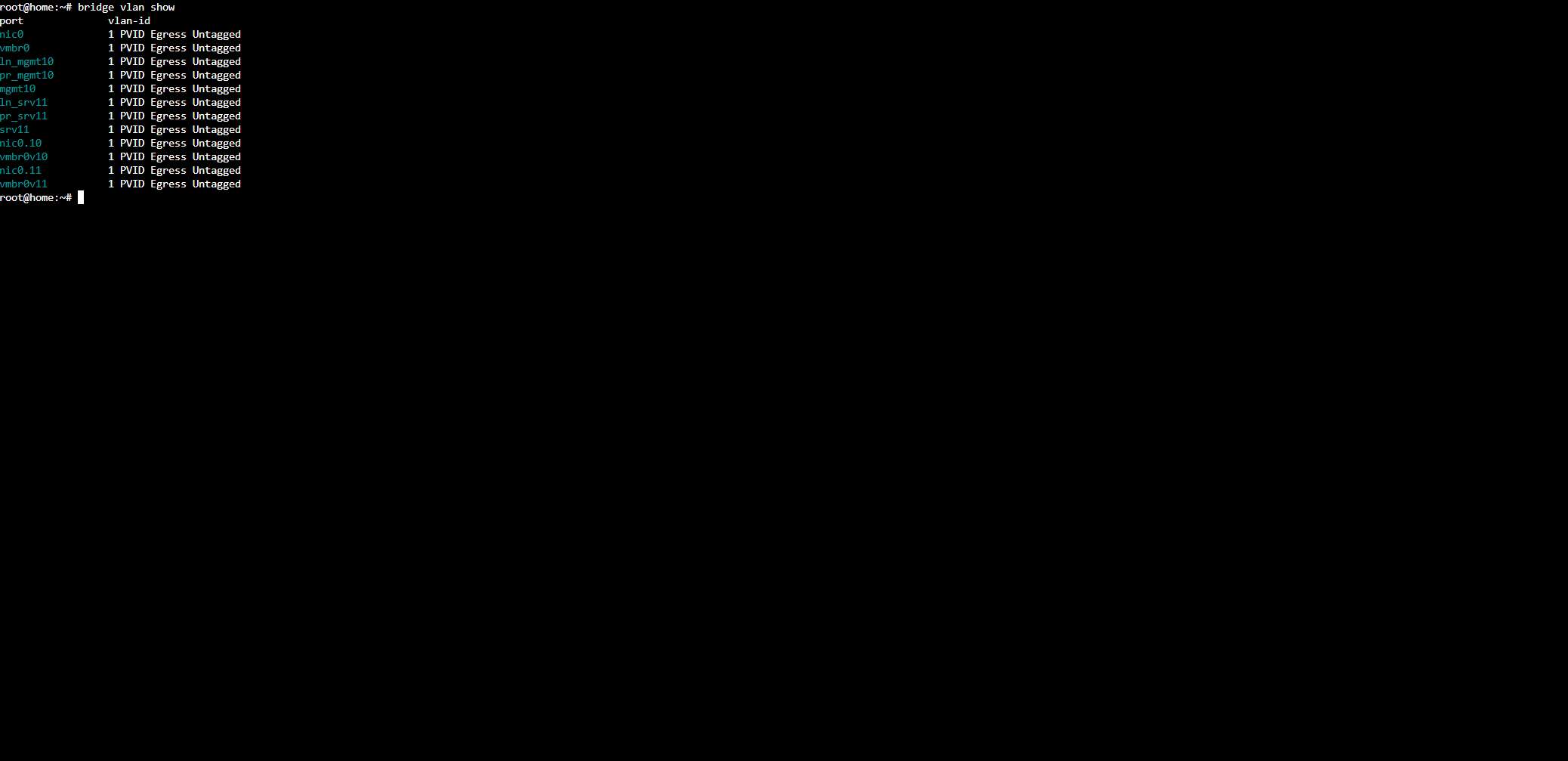
This shows the SDN-generated interfaces are being created correctly. I also checked bridge vlan show for more evidence.
root@home:~# bridge vlan show
port              vlan-id
nic0              1 PVID Egress Untagged
vmbr0             1 PVID Egress Untagged
ln_mgmt10         1 PVID Egress Untagged
pr_mgmt10         1 PVID Egress Untagged
mgmt10            1 PVID Egress Untagged
ln_srv11          1 PVID Egress Untagged
pr_srv11          1 PVID Egress Untagged
srv11             1 PVID Egress Untagged
nic0.10           1 PVID Egress Untagged
vmbr0v10          1 PVID Egress Untagged
nic0.11           1 PVID Egress Untagged
vmbr0v11          1 PVID Egress Untagged
root@home:~#
At first glance, seeing VLAN 1 everywhere is confusing, but the generated interface structure made more sense after looking closer. Proxmox SDN was creating VLAN-specific interfaces such as nic0.10 and nic0.11, then bridges those into mgmt10 and srv11.
Cleaning Up the Trunk Model#
The SDN test worked, but it revealed something I wanted to clean up before moving forward. The Proxmox host was still sitting directly on vmbr0, which meant management traffic depended on the upstream port treating untagged frames as the Management VLAN. While this “works”, it’s not the intentional approach I was looking for.
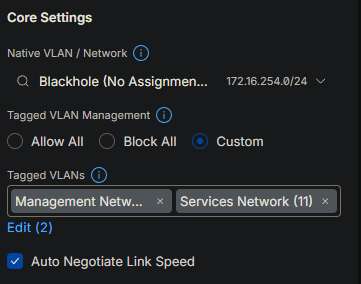
The cleaner model here is to place the native VLAN Proxmox sits on as Blackhole to remove the native IP assignment, similar to what I did for Pi-hole a few weeks back. Then, allow tagged VLAN traffic instead of “all” VLAN traffic. This connection is served directly by the UDM SE over the 10G uplink, so the port profile change needed to happen there instead.
On the UDM SE, I changed the port profile so the native network was assigned to a Blackhole VLAN, while allowing tagged VLANs 10 and 11. Unfortunately, that immediately exposed the flaw in this current Proxmox configuration. Since Proxmox was still sending management traffic untagged, changing the native network to Blackhole meant Proxmox was no longer reachable from the management network.
Temporary Tagged Management Test#
To move toward the clean trunk model, I removed the SDN configuration and returned to the base network config.
root@home:~# cat /etc/network/interfaces
auto lo
iface lo inet loopback

iface nic0 inet manual

auto vmbr0
iface vmbr0 inet static
        address 172.16.10.240/24
        gateway 172.16.10.1
        bridge-ports nic0
        bridge-stp off
        bridge-fd 0

iface nic1 inet manual

iface nic2 inet manual

iface nic3 inet manual


source /etc/network/interfaces.d/*
root@home:~#
The next step was to move the Proxmox host IP from untagged vmbr0 to tagged vmbr0.10.
auto lo
iface lo inet loopback

iface nic0 inet manual

auto vmbr0
iface vmbr0 inet manual
        bridge-ports nic0
        bridge-stp off
        bridge-fd 0

auto vmbr0.10
iface vmbr0.10 inet static
        address 172.16.10.240/24
        gateway 172.16.10.1

iface nic1 inet manual

iface nic2 inet manual

iface nic3 inet manual


source /etc/network/interfaces.d/*
This changes vmbr0 into a raw trunk bridge and moves the management address to vmbr0.10. I did briefly lose access during this stage because of a syntax mistake. The interface was declared as auto vmbr0.10, but the iface line still referenced vmbr0 instead of vmbr0.10. That small mistake kept the management IP on the wrong interface, and after correcting it, the tagged management interface came up properly:
root@home:~# ip -br addr
ip route
ip -d link show vmbr0.10
lo               UNKNOWN        127.0.0.1/8 ::1/128
nic0             UP
nic1             DOWN
nic2             DOWN
nic3             DOWN
vmbr0            UP             fe80::20e:1eff:fe45:7a00/64
vmbr0.10@vmbr0   UP             172.16.10.240/24 fe80::20e:1eff:fe45:7a00/64
default via 172.16.10.1 dev vmbr0.10 proto kernel onlink
172.16.10.0/24 dev vmbr0.10 proto kernel scope link src 172.16.10.240
7: vmbr0.10@vmbr0: <BROADCAST,MULTICAST,UP,LOWER_UP> mtu 1500 qdisc noqueue state UP mode DEFAULT group default qlen 1000
    link/ether 00:0e:1e:45:7a:00 brd ff:ff:ff:ff:ff:ff promiscuity 0 allmulti 0 minmtu 0 maxmtu 65535
    vlan protocol 802.1Q id 10 <REORDER_HDR> addrgenmode eui64 numtxqueues 1 numrxqueues 1 gso_max_size 65536 gso_max_segs 65535 tso_max_size 65536 tso_max_segs 65535 gro_max_size 65536 gso_ipv4_max_size 65536 gro_ipv4_max_size 65536
root@home:~# echo 1 > /proc/sys/net/ipv6/conf/vmbr0/disable_ipv6
root@home:~# ifreload -a
root@home:~# ip -br addr
lo               UNKNOWN        127.0.0.1/8 ::1/128
nic0             UP
nic1             DOWN
nic2             DOWN
nic3             DOWN
vmbr0            UP
vmbr0.10@vmbr0   UP             172.16.10.240/24 fe80::20e:1eff:fe45:7a00/64
root@home:~#
This confirmed that the Proxmox host could sit on tagged VLAN 10.
Initial SDN Design Flaw#
At this point, I recreated the SDN zone and VNets, then applied the configuration.
Aaaaand that broke access again. The reason was that I had created two different VLAN 10 paths at the same time.
vmbr0.10 > Proxmox host management on VLAN 10
mgmt10   > SDN-generated VNet for VLAN 10
This is the wrong model as these paths cannot exist together. I wanted mgmt10 to exist because selecting a named Management Network is cleaner when creating containers and VMs. But, if Proxmox itself is already using vmbr0.10, then recreating mgmt10 exposes duplicate VLAN 10 plumbing and causes a hang.
I rolled SDN back again and revisited the network design.
Final Design - Wholesale SDN#
The final model is to allowing SDN to purely own both networks and route Proxmox through it. I initially thought I didn’t need to do this, as having another layer of abstraction for a critical service is an unnecessary failure point. However, if I want mgmt10 and srv11 to be able to co-exist, this has to be done.
Instead of placing the Proxmox host on vmbr0.10, I moved the Proxmox host management IP directly onto mgmt10. That way, the same named SDN VNet can be used for both. This keeps the mental model clean, and actually works in practice.
Final Network Model#
nic0
 |
vmbr0
 |
 ------ nic0.10 > vmbr0v10 > mgmt10 > Proxmox Static IP
 |                                  > Exposed Management Network
 |
 ------ nic0.11 > vmbr0v11 > srv11 > Exposed Services Network
Final Interface Configurations#
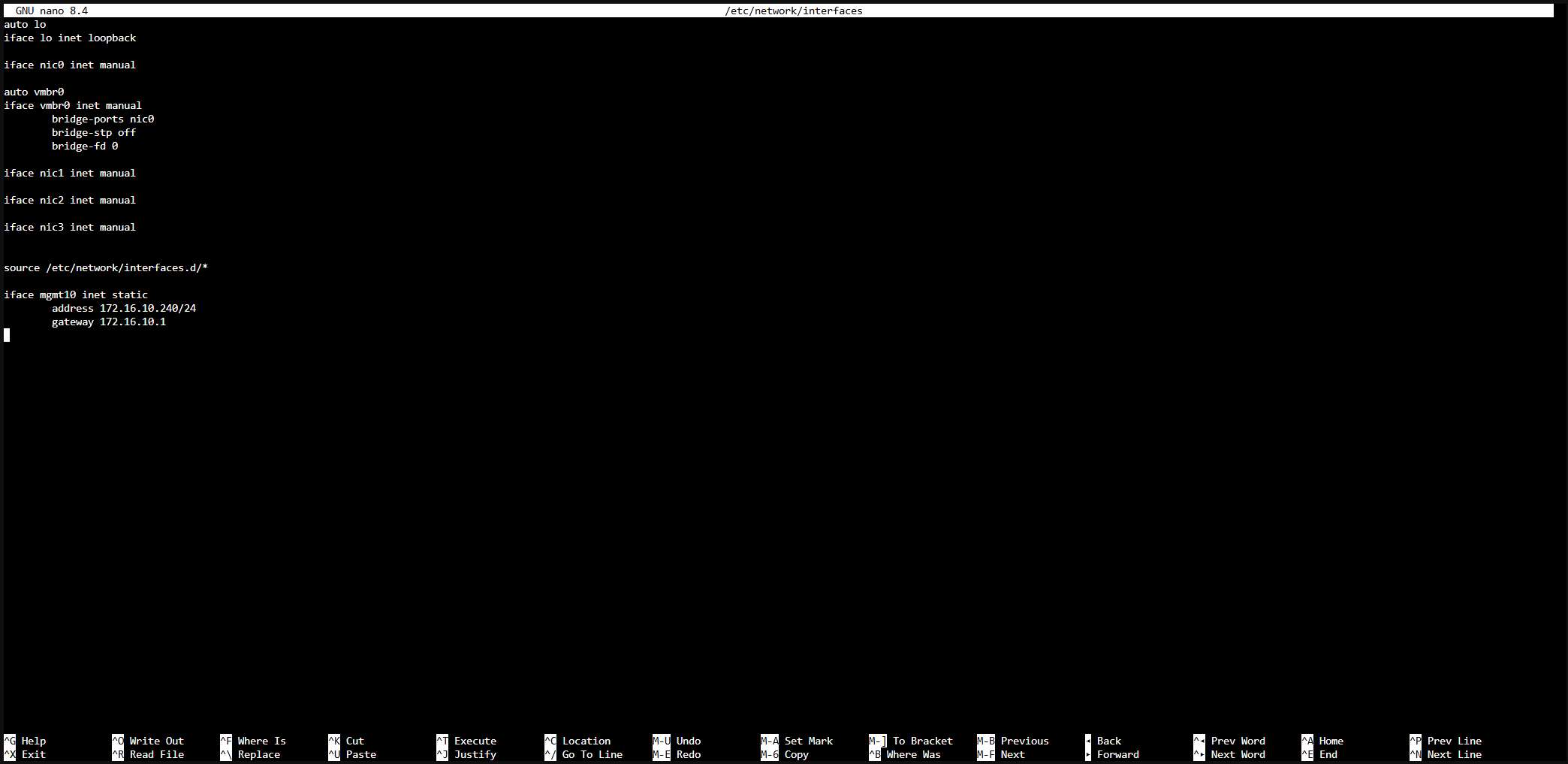
/etc/network/interfaces
auto lo
iface lo inet loopback

iface nic0 inet manual

auto vmbr0
iface vmbr0 inet manual
        bridge-ports nic0
        bridge-stp off
        bridge-fd 0

iface nic1 inet manual

iface nic2 inet manual

iface nic3 inet manual


source /etc/network/interfaces.d/*

iface mgmt10 inet static
        address 172.16.10.240/24
        gateway 172.16.10.1
/etc/network/interfaces.d/sdn
#version:7

auto ln_mgmt10
iface ln_mgmt10
        link-type veth
        veth-peer-name pr_mgmt10

auto ln_srv11
iface ln_srv11
        link-type veth
        veth-peer-name pr_srv11

auto mgmt10
iface mgmt10
        bridge_ports ln_mgmt10
        bridge_stp off
        bridge_fd 0
        alias Management Network

auto pr_mgmt10
iface pr_mgmt10
        link-type veth
        veth-peer-name ln_mgmt10

auto pr_srv11
iface pr_srv11
        link-type veth
        veth-peer-name ln_srv11

auto srv11
iface srv11
        bridge_ports ln_srv11
        bridge_stp off
        bridge_fd 0
        alias Services Network

auto vmbr0v10
iface vmbr0v10
        bridge_ports  nic0.10 pr_mgmt10
        bridge_stp off
        bridge_fd 0

auto vmbr0v11
iface vmbr0v11
        bridge_ports  nic0.11 pr_srv11
        bridge_stp off
        bridge_fd 0
This file is generated by Proxmox SDN, so I don’t intend to manually maintain it. The important custom piece is the iface mgmt10 inet static section in the main interfaces file that places the Proxmox on the mgmt10 VLAN.
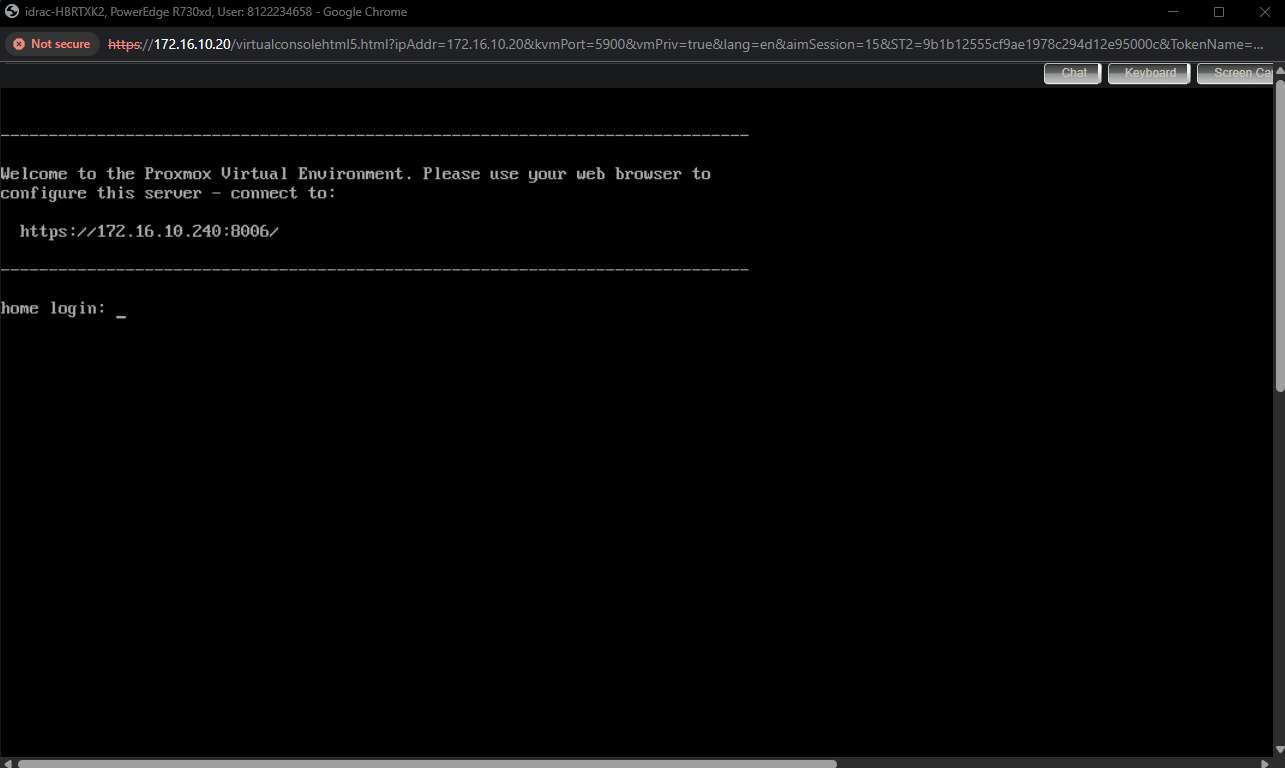

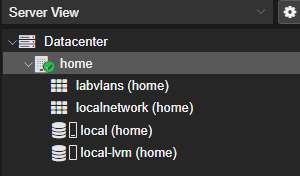
Send Help#
After applying the SDN configuration, reloading the network configuration with ifreload -a, crossing my fingers and hoping I don’t lose access again, the interface state looks like this:
root@home:~# ip -br addr
ip route
lo               UNKNOWN        127.0.0.1/8 ::1/128
nic0             UP
nic1             DOWN
nic2             DOWN
nic3             DOWN
vmbr0            UP             fe80::20e:1eff:fe45:7a00/64
ln_mgmt10@pr_mgmt10 UP
pr_mgmt10@ln_mgmt10 UP
mgmt10           UP             172.16.10.240/24 fe80::b837:c7ff:fee4:b77f/64
ln_srv11@pr_srv11 UP
pr_srv11@ln_srv11 UP
srv11            UP             fe80::3ccd:9dff:fedf:7cf9/64
nic0.10@nic0     UP
vmbr0v10         UP             fe80::20e:1eff:fe45:7a00/64
nic0.11@nic0     UP
vmbr0v11         UP             fe80::20e:1eff:fe45:7a00/64
default via 172.16.10.1 dev mgmt10 proto kernel onlink
172.16.10.0/24 dev mgmt10 proto kernel scope link src 172.16.10.240
I also confirmed connectivity before calling it a day. We love ping.
root@home:~# ping -c 4 172.16.10.1
PING 172.16.10.1 (172.16.10.1) 56(84) bytes of data.
64 bytes from 172.16.10.1: icmp_seq=1 ttl=64 time=0.236 ms
64 bytes from 172.16.10.1: icmp_seq=2 ttl=64 time=0.145 ms
64 bytes from 172.16.10.1: icmp_seq=3 ttl=64 time=0.128 ms
64 bytes from 172.16.10.1: icmp_seq=4 ttl=64 time=0.103 ms

--- 172.16.10.1 ping statistics ---
4 packets transmitted, 4 received, 0% packet loss, time 3105ms
rtt min/avg/max/mdev = 0.103/0.153/0.236/0.050 ms
root@home:~# ping -c 4 8.8.8.8
PING 8.8.8.8 (8.8.8.8) 56(84) bytes of data.
64 bytes from 8.8.8.8: icmp_seq=1 ttl=117 time=7.97 ms
64 bytes from 8.8.8.8: icmp_seq=2 ttl=117 time=7.91 ms
64 bytes from 8.8.8.8: icmp_seq=3 ttl=117 time=7.51 ms
64 bytes from 8.8.8.8: icmp_seq=4 ttl=117 time=7.87 ms
--- 8.8.8.8 ping statistics ---
4 packets transmitted, 4 received, 0% packet loss, time 3005ms
rtt min/avg/max/mdev = 7.506/7.813/7.974/0.181 msroot@home:~# ping -c 4 google.com
PING google.com (142.251.210.206) 56(84) bytes of data.
64 bytes from pnorda-ak-in-f14.1e100.net (142.251.210.206): icmp_seq=1 ttl=117 time=7.84 ms
64 bytes from pnorda-ak-in-f14.1e100.net (142.251.210.206): icmp_seq=2 ttl=117 time=8.05 ms
64 bytes from pnorda-ak-in-f14.1e100.net (142.251.210.206): icmp_seq=3 ttl=117 time=8.34 ms
64 bytes from pnorda-ak-in-f14.1e100.net (142.251.210.206): icmp_seq=4 ttl=117 time=7.71 ms
--- google.com ping statistics ---
4 packets transmitted, 4 received, 0% packet loss, time 3004ms
rtt min/avg/max/mdev = 7.713/7.985/8.342/0.238 msNote to Self#
Assign containers and virtual machines like this:
Management only?
  net0 > mgmt10

Service only?
  net0 > srv11

Need for split?
  net0 > mgmt10
  net1 > srv11
This should make future deployments much cleaner, and I’ll be able to split-network if needed very easily without a bunch of trial-and-error work to get the right interface. For anything that has a management interface, I can place that interface on mgmt10. For anything that exposes a service, I can place the service-facing interface on srv11.
The important thing moving forward is to make sure services bind to the correct interface or IP address for Docker containers especially, where a broad port mapping can expose a service where not intended.
Current Status#
Proxmox is now configured and accessible with what I believe to be proper networking, at least to the model that I’ve designed. The next thing I intend to do is work on some easier storage drive pool setup that will include basic RAID configuration. Then, I’ll dive a bit more into ZFS from the Storage Planning model.
This ended up being more complicated than expected, but it was worth working through. The biggest lesson was that the first “clean” idea was not actually clean at all. Using vmbr0.10 for Proxmox host management while also creating an SDN VNet for VLAN 10 created duplicate VLAN 10 paths and broke access completely. The better model was to let SDN own the management network entirely, then place the Proxmox host directly on mgmt10.
I defend this model because it allows me to cleanly assign Management Network access across containers, virtual machines and nodes, if that ever gets off the ground with current energy prices.
Reply by Email