As part of bringing the lab infrastructure back online after the server wipe, the first major objective is restoring out-of-band management through Dell iDRAC.
The dedicated iDRAC management interface was reconnected to the Management network through the FortiSwitch using an access/native VLAN 10 configuration. Because the switch port itself is assigned to VLAN 10, VLAN tagging remained disabled within iDRAC. IPv4 addressing and DNS server assignment were configured through DHCP to keep IP management centralized within the UDM SE dashboard.
Additionally, I MAC-locked port46 (the port iDRAC is now connected to) to prevent unauthorized access and usage of that port via another device.

Once connectivity was restored and the web interface became reachable, I confirmed that the iDRAC had previously been factory reset during the broader server wipe process, as the default credentials were accepted.
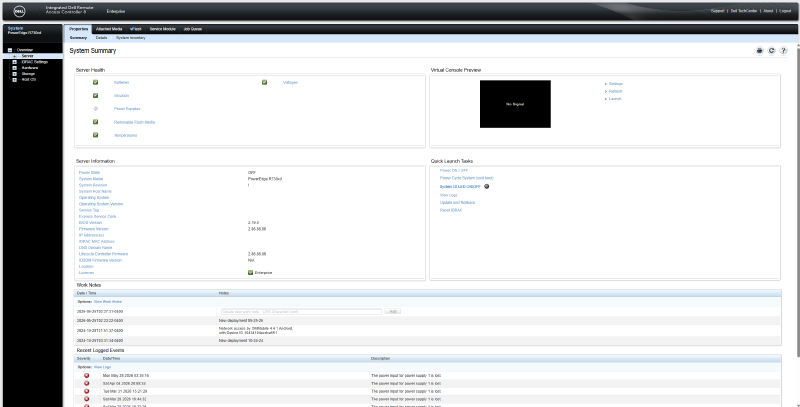
Access and Security Configuration#
The default administrative account was modified by changing both the username and password. Only a single root-level administrative account was left enabled.
Remote management functionality was configured using the HTML5 virtual console plugin to avoid legacy Java dependencies, with concurrent console sessions limited to 2.
Network, Time, and Service Configuration#
Network settings were verified after restoration. The management interface time zone was updated to US/East-Indiana, and NTP synchronization was enabled to ensure accurate timestamps for logs, lifecycle operations, and alerting. Time synchronization was configured using Google’s public NTP infrastructure.
time.google.com
time2.google.com
time3.google.com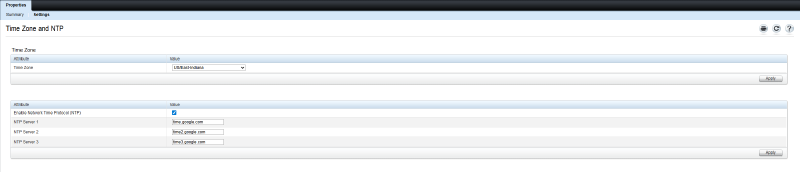
Alerting and Monitoring#
Email alerting was re-enabled using the lab monitoring and alerts workflow. A dedicated Cloudflare-routed alias (alerts@shannonwetnight.com) was created to receive hardware notifications and forward them into the existing monitoring email path. Connectivity was validated successfully using the built-in iDRAC test email function.
Alerting is intentionally filtered to reduce noise while still surfacing meaningful infrastructure issues. This restores what was previously in use on the server before the wipe.
System Health     (Warning or Critical)
Storage           (Warning or Critical)
Updates (Warning or Critical)Status#
With networking, authentication, remote console access, time synchronization, and alerting restored, iDRAC is once again operational as the primary out-of-band management interface for the server rebuild process.
The next phase should focus on storage/controller validation, virtual media usage, and operating system deployment (Proxmox), but probably won’t.
Reply by Email