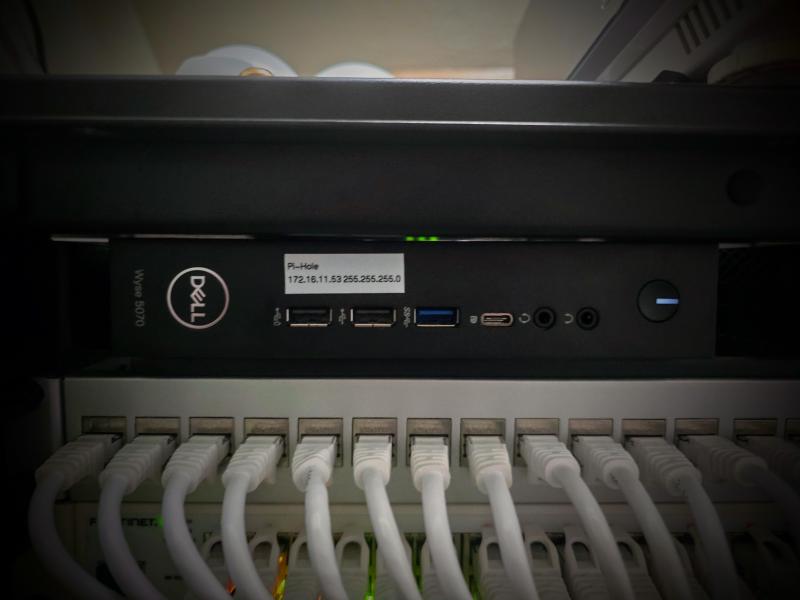
Wyse 5070 Pi-hole Deployment#
A Wyse 5070 thin client was repurposed from its previous Proxmox Backup Server role and rebuilt with Ubuntu Server 24.04. The machine is now dedicated to Pi-hole DNS until the larger server environment is migrated.
I am using a Dockerized deployment, as per usual, with management deployed via Portainer on my computer. The configuration is still pulled from my private GitHub repository for dynamic deployment and easy updates using Portainer’s built-in repository method and connected with the edge environment setup.
Ubuntu Netplan Configuration#
The design goal was to expose Pi-hole DNS on the Services VLAN while keeping SSH/admin access on the Management VLAN. Because the Wyse 5070 has only one physical NIC, this was done with VLAN subinterfaces with Ubuntu Netplan.
enp1s0.10 = 172.16.10.40/24  Management (SSH)
enp1s0.11 = 172.16.11.53/24  Pi-hole
The default route is only on the Services VLAN.
default via 172.16.11.1 dev enp1s0.11This prevents routing confusion from multiple default gateways.
Cloud-init originally generated a 50-cloud-init.yaml Netplan file. That file needed to be disabled because it could re-enable DHCP on the base interface and cause the host to pull an unintended address from the native VLAN, and in fact did even after disabling due to not removing the original file.
Cloud-init Network Generation Disabled YAML
network: {config: disabled}The active Netplan configuration was moved to a dedicated file.
/etc/netplan/01-pihole-vlans.yamlNetplan Configuration YAML
network:
  version: 2
  renderer: networkd

  ethernets:
    enp1s0:
      dhcp4: false
      dhcp6: false
      optional: true

  vlans:
    enp1s0.10:
      id: 10
      link: enp1s0
      dhcp4: false
      dhcp6: false
      addresses:
        - 172.16.10.40/24

    enp1s0.11:
      id: 11
      link: enp1s0
      dhcp4: false
      dhcp6: false
      addresses:
        - 172.16.11.53/24
      routes:
        - to: default
          via: 172.16.11.1
      nameservers:
        addresses:
          - 127.0.0.1
          - 1.1.1.1
I chose to use static assignment to avoid UDM SE confusion from requesting DHCP with the split. The Network and Services VLAN both have a DHCP scope for 172.16.x.99-200, so I can avoid assignment confliction by staying below that.
File permissions were then tightened to remove Netplan warnings after creating the new plan.
sudo chmod 600 /etc/netplan/01-pihole-vlans.yaml
sudo netplan generate
sudo netplan apply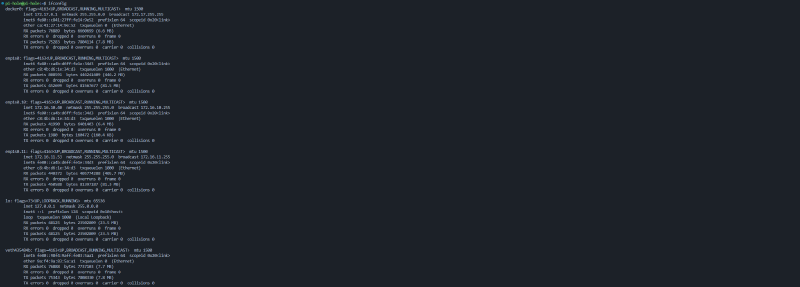
Wyse Switchport Configuration#
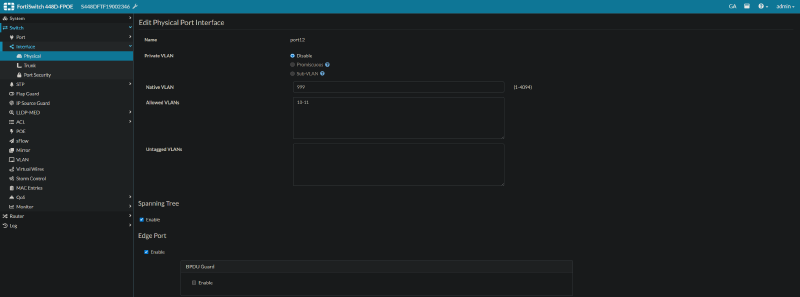
Initially, the Wyse switchport had VLAN 11 set as the native VLAN. That caused confusion because Ubuntu was expecting VLAN 11 to arrive tagged on enp1s0.11.
When native VLAN 11 was used, VLAN 11 traffic could arrive untagged while Ubuntu was listening for tagged VLAN 11 traffic. Changing the native VLAN to 1 allowed both VLAN 10 and VLAN 11 to work correctly as tagged VLANs. After testing confirmed both VLANs worked, I created a dedicated parking VLAN (999)to use for this purpose to avoid using an active VLAN (covered in Part 2).