Project Overview#
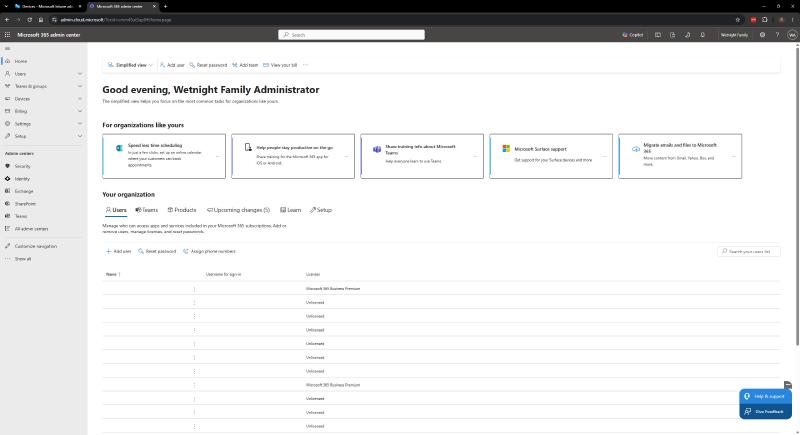
This article documents the full Microsoft 365, Microsoft Entra ID, Microsoft Intune, and Microsoft Defender buildout for the Wetnight Family Tenant.
What started as a research project around whether a Microsoft 365 tenant could provide real value for a home lab eventually turned into a fully functional, cloud-managed family environment. Instead of creating another free Gmail, Outlook, or Hotmail account and calling it good enough, this project treats the family tenant like a small business environment with custom domains, managed identities, endpoint management, security baselines, recovery paths, app deployment, Conditional Access, and plenty more.
The end result is a working Microsoft cloud-managed endpoint environment built for the love of the game. There are some practical benefits for family devices here while also serving as a real-world Microsoft 365, Entra, Intune, and Defender learning environment.
Baselines#
My family tenant has a lot baselines, with many more to be touched in the coming months:
- Custom family domains
- Microsoft 365 hosted mail
- Shared mailbox-style family/service endpoints
- SPF, DKIM, and DMARC email protection
- Microsoft Entra ID identity management
- Microsoft Intune Windows device management
- Microsoft Defender for Endpoint onboarding
- BitLocker encryption with cloud recovery-key escrow
- Windows LAPS local administrator recovery
- Windows Hello for Business
- Conditional Access for MFA and admin portal protection
- Windows Firewall baseline
- Microsoft Defender Antivirus baseline
- Attack Surface Reduction auditing
- Windows Update management
- Company Portal app deployment
- Microsoft 365 Apps deployment
- Self-service software catalog
- OneDrive Known Folder Move
- Windows Backup and Restore
- Regional/time zone defaults
- Power, sleep, and screen-lock policy
- UAC hardening for safer local elevation
This project creates a real family tenant with registered domains, managed Windows devices, security controls, recovery workflows, and an app catalog, all while keeping the setup reasonable for a home environment without being overly restrictive for the two people currently licensed in the family (child accounts created but licensed until the need and funding is available).
Environment#
| Item | Value |
|---|---|
| Tenant Name | Wetnight Family |
| Primary Domain | wetnight.family |
| Secondary Domain | shannonwetnight.com |
| Alternative Domains Linked | Domains for all Wetnight Family members under .com registrations via Cloudflare |
| Microsoft 365 Licensing | Microsoft 365 Business Premium |
| Identity Platform | Microsoft Entra ID |
| Device Management | Microsoft Intune |
| Endpoint Security | Microsoft Defender for Business / Defender for Endpoint |
| Device Join Model | Microsoft Entra joined |
| MDM Provider | Microsoft Intune |
| Primary Admin/User Group | Site Administrators |
| Child User Group | Kidcave |