The home lab network is secured through a layered approach that combines VLAN segmentation, firewall policy enforcement, DNS filtering, service authentication, traffic inspection, and controlled external exposure. My home lab environment uses multiple controls that work together to reduce unnecessary access between devices, services, and externally reachable applications.
A major part of this security model came from the May 2026 network migration, where the network was redesigned around clearer VLAN roles and a more intentional and upgraded firewall structure. Each VLAN is treated according to its purpose, trust level, and required communication paths. Administrative devices, shared services, IoT devices, cameras, guest traffic, and general client devices are separated so that access can be granted only where needed.
Segmentation and Firewall Rules#
The firewall ruleset is designed around role-based access rather than flat network access. Instead of allowing unrestricted inter-VLAN communication, access is explicitly granted where required and blocked everywhere else.
The rule order follows a layered approach. Established and related traffic is allowed near the top of the ruleset so return traffic for approved sessions can pass normally. After that, specific allow rules handle required services such as DNS, DHCP, mDNS, UDM SE WireGuard VPN, trusted administrative device access, and Management and Services access. Broader block and reject rules are placed below these exceptions to prevent unnecessary movement between networks.
Administrative access is restricted heavily. Non-management networks are blocked from reaching gateway management interfaces, and most VLANs are prevented from accessing other gateway addresses except their own. This helps keep IoT, Camera, Kidcave, Native, Services, and guest traffic away from router and VLAN management portals.
Trusted administrative devices receive broader access for administration, troubleshooting, and cross-network testing, but that access is intentionally scoped to known devices rather than every client on the LAN. This allows management systems to reach multiple networks when needed without weakening segmentation for normal user devices.
The Services network is treated as a shared resource zone, but not as an unrestricted trust zone. Systems can reach services only where a rule allows it, while management access to service hosts remains separated from general application access. This helps protect infrastructure services while still allowing day-to-day access to applications such as DNS, media services, dashboards, and internally hosted tools.
Less-trusted networks, including IoT, Camera, Kidcave, Native, and Hotspot, are limited to the access they actually need. IoT and camera devices are isolated from sensitive networks, guest and hotspot traffic is restricted, and user networks are prevented from browsing into gateway or management interfaces. This reduces the risk of lateral movement if a device on a lower-trust VLAN is compromised.
Current VLANs#
Native Network (Default)                 VLAN ID 1
Iot Network                              VLAN ID 2
Camera Network                           VLAN ID 3
Manegement Network                       VLAN ID 10
Services Network                         VLAN ID 11
Kidcave Network                          VLAN ID 20
Guest Network                            VLAN ID 99
Blackhlole Network (Parking, No DHCP)    VLAN ID 999
UniFi Security Features#
The UniFi controller provides built-in network security features, including firewall policy management, client visibility, traffic identification, threat-related settings, and deep packet inspection. These tools help provide visibility into device behavior, application usage, and traffic patterns across the network.
While built-in UniFi inspection is not a replacement for a dedicated enterprise security stack, it provides useful baseline monitoring for a home lab environment. It helps identify unusual traffic patterns, confirm expected device behavior, and support troubleshooting when firewall or VLAN changes are made.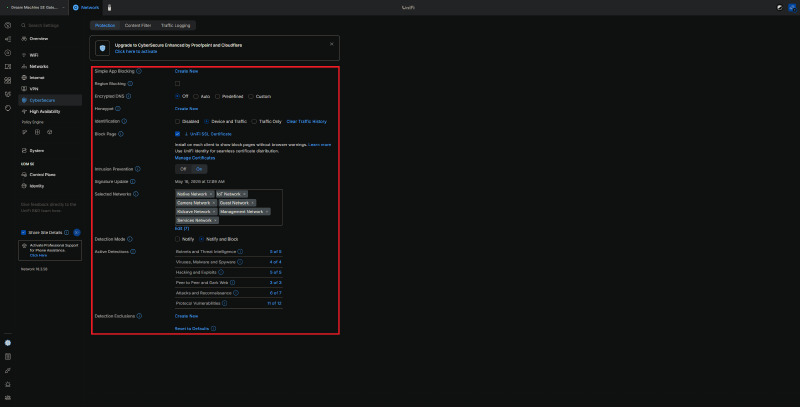
For the Kidcave Network, since this network hosts all child client devices, Content Filter is enabled to help protect against passive online threats.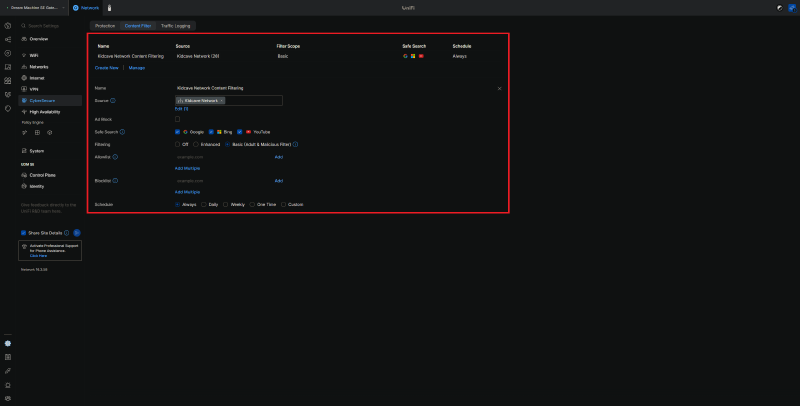
DNS Filtering#
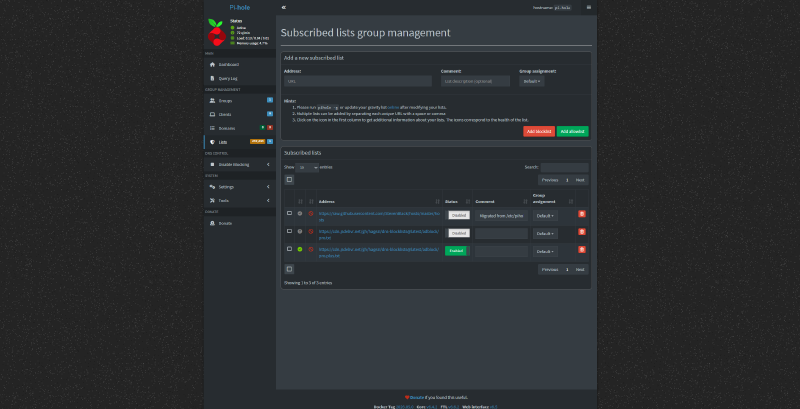
DNS filtering is handled through Pi-hole, which provides network-wide ad blocking, tracker blocking, and visibility into DNS queries. Client networks are directed to use Pi-hole for DNS resolution, allowing filtering to be applied consistently across the environment.
Using DNS filtering as a security layer helps reduce exposure to known unwanted domains, advertising networks, tracking services, and some malicious or suspicious destinations. It also provides useful logging for identifying noisy devices, misconfigured clients, or applications making unexpected DNS requests. A simple DNS blocklist makes all the difference for having kids that love to app-bounce between all the free apps that have endless pop-up ads.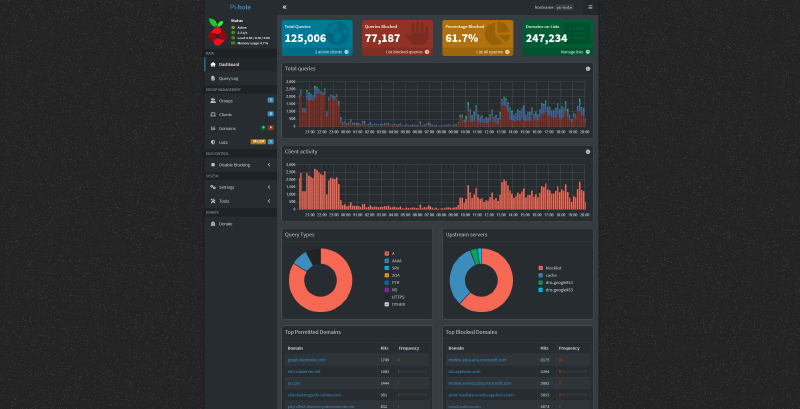
CrowdSec#
CrowdSec is used to monitor selected internal and externally reachable services for suspicious behavior. It provides log-based detection and can apply remediation through supported bouncers or enforcement components. This allows the environment to respond to certain types of unwanted behavior, such as repeated failed authentication attempts, scanning activity, or known malicious patterns. CrowdSec adds an active response layer on top of traditional firewall rules by allowing traffic decisions to be influenced by observed behavior rather than static rules alone.
Authentik SSO#
Authentik is used as a centralized single sign-on provider for supported services. Instead of relying only on each application’s built-in login system, Authentik provides a consistent authentication layer that can be placed in front of internal and externally exposed applications.
Cloudflare Tunnels#
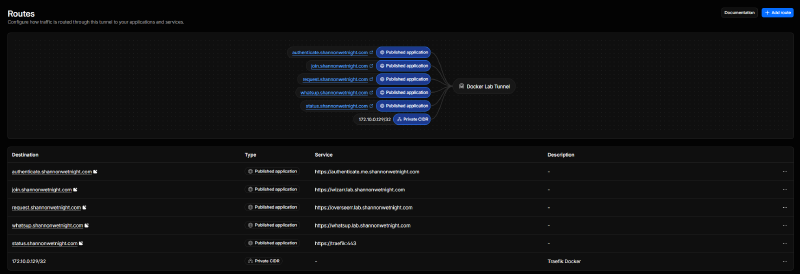
Externally exposed applications are protected through Cloudflare, including the use of Cloudflare Tunnels where appropriate. Select services are reachable from outside the home network without directly exposing inbound ports on the firewall. Cloudflare provides an additional edge security layer in front of public services, while tunnels help reduce the need for traditional port forwarding. Combined with Authentik and service-level firewall rules, this creates a safer model for remote access to self-hosted applications.
Service Reachability#
Services typically are accessed via one of the following methods:
1. Host IP + Port

Typically permitted only from the management VLAN unless a service is intentionally deployed to a non-management VLAN.
Also used for core infrastructure and uptime statistics, bypassing DNS lookup in the event of a DNS outage.

Management interfaces are exposed on VLAN 10, where possible.
Services are exposed on VLAN 11.
2. Internal DNS A/CNAME Records to Service
This is the intended and primary access method for internal services.3. External DNS A/CNAME Records to Service
This is the intended and primary access method for external access.
External access is routed through Cloudflare-proxied DNS entries, Authentik, and Cloudflare Tunnel(s).