In the event of inclement weather, the server closet doubles as the safest point in the house to take shelter. The following walkthrough serves to provide quick conversion instructions.
Step 1#
Open the door and pull the NetShelter out of the closet. The NetShelter is very heavy and may require some effort to pull effectively. Be careful not to impact the wall with the cage to avoid damaging the door trim or drywall. Walk the NetShelter backwards and around the corner, then stop just after the door is cleared.
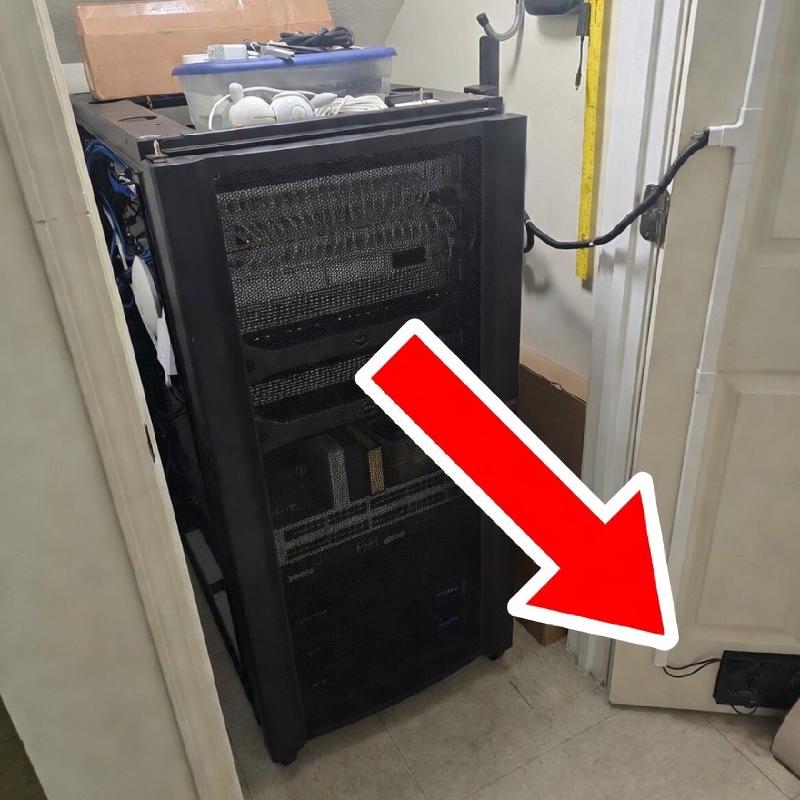
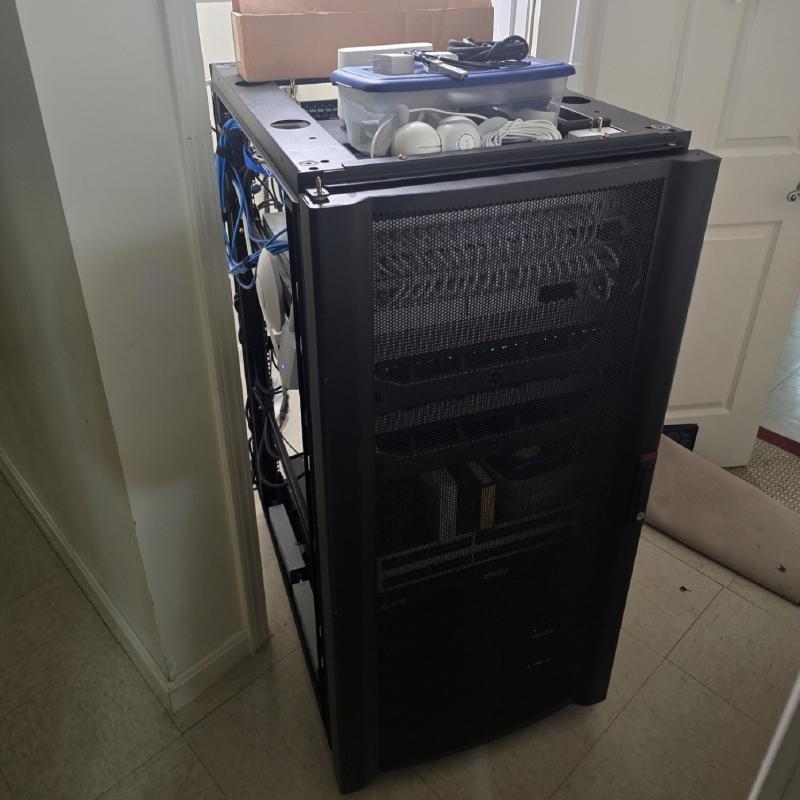
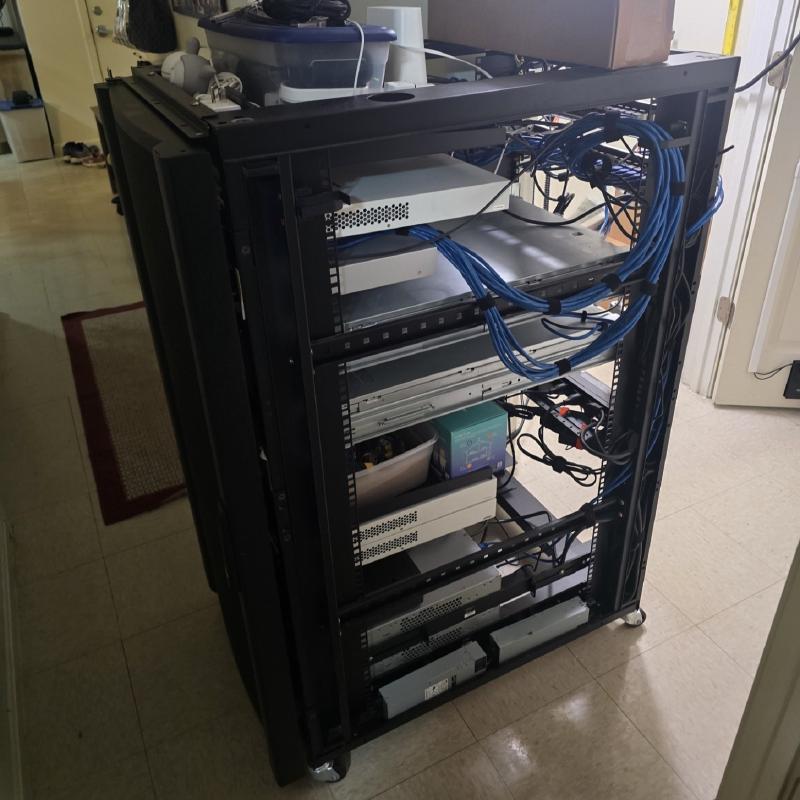
Note: If simply preparing for an in-case need, removing the NetShelter from the server closet and clearing any loose components from inside are sufficient until it has been determined that sheltering in the closet is necessary. In these cases, simply stopping at Step 1 before removing any cabling is sufficient.
Step 2#
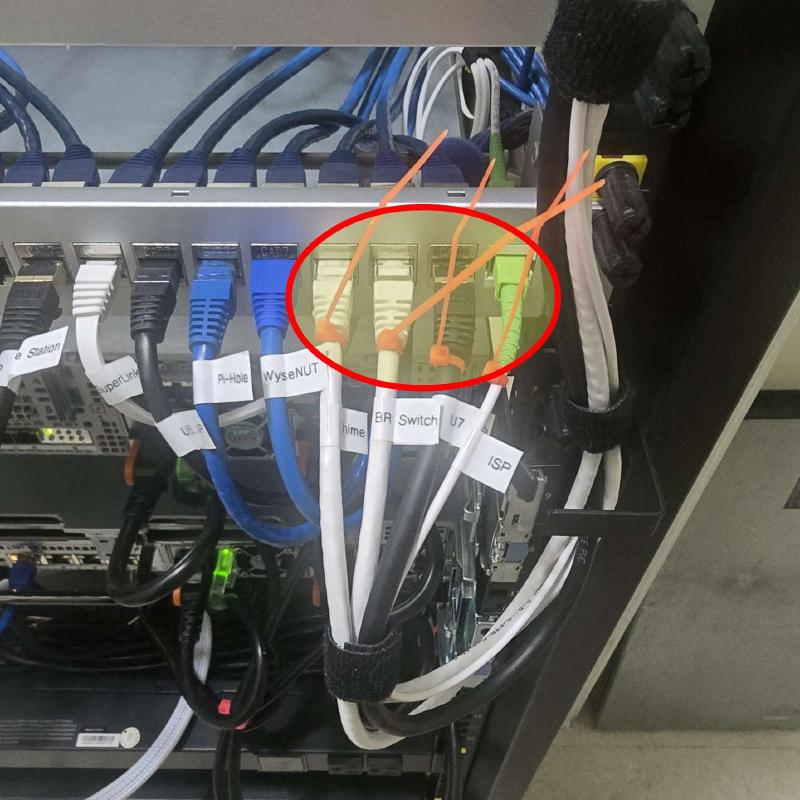
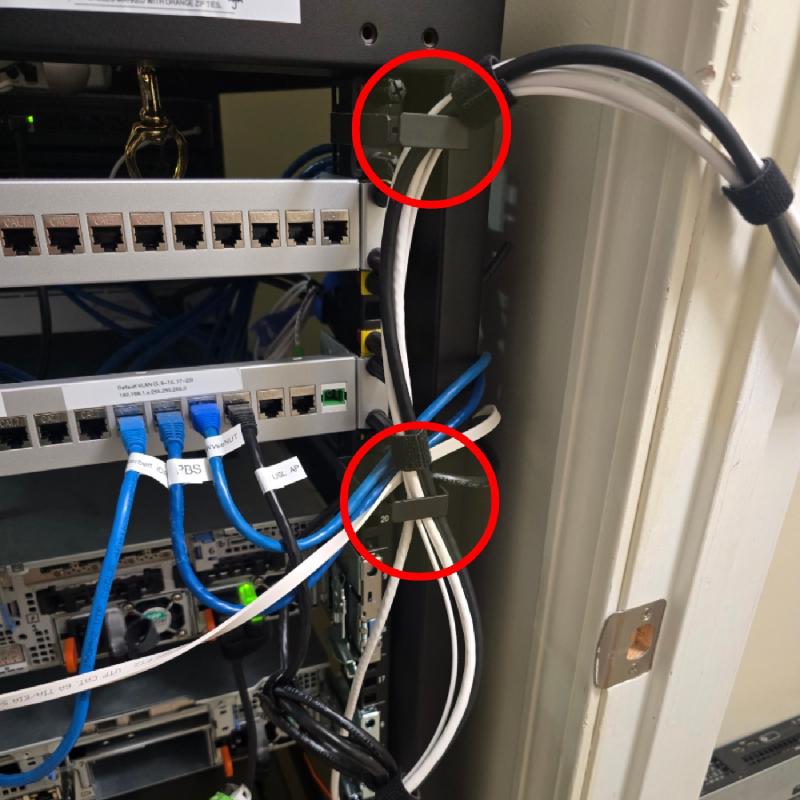
Disconnect all cables at the rear switch panel with orange zip ties. There are (4) total cables to disconnect at the rear switch panel, bundled together with black Velcro. The cables are labeled, in order from right to left:
- ISP
- U7 AP
- BR Switch
- Chime
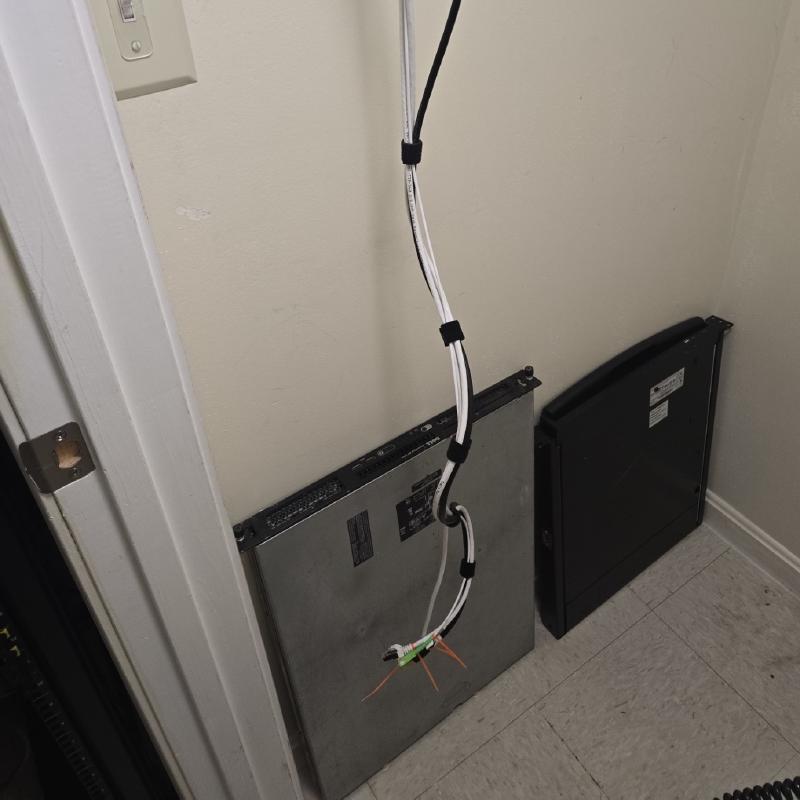
Once disconnected, remove the cable bundle from the two cable guides at the far right and allow the cables to hang freely inside the closet. You may cable manage these and tuck them away with the other bundles later if preferred.
Step 3#
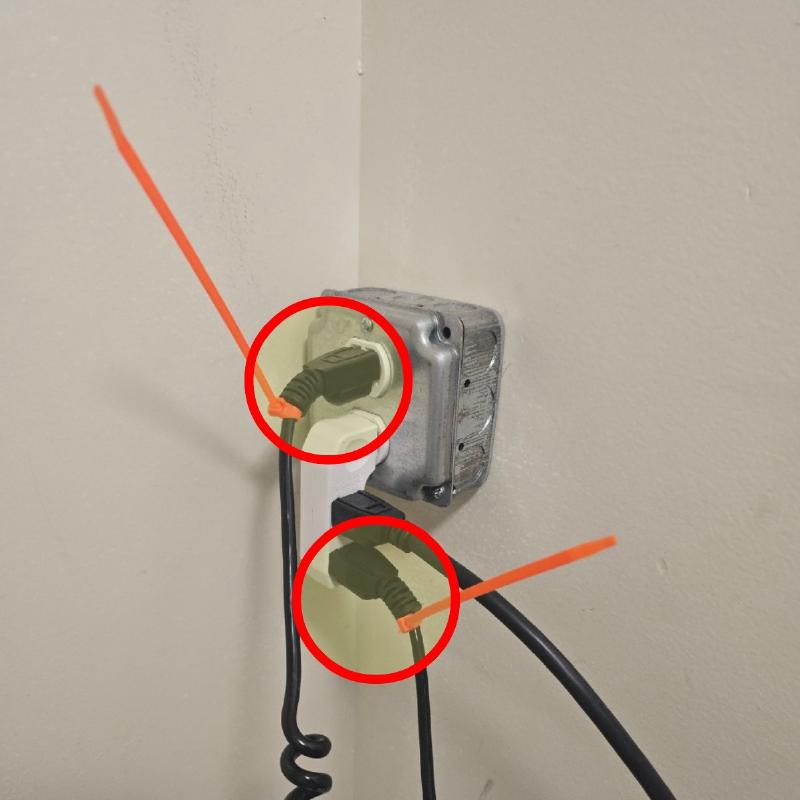
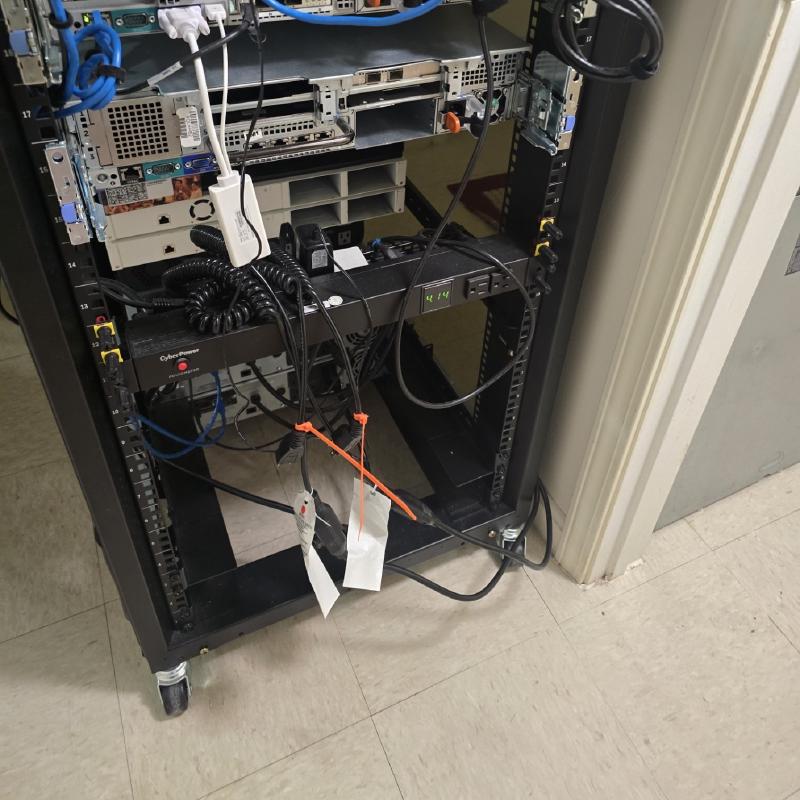
Disconnect the two power supply cables with orange zip ties from the wall. There are (2) total cables to disconnect plugged into the outlet. Store these cables in the rear of the rack in a configuration such that they do not pose a trip hazard. Once finished, the NetShelter is now fully detached from the server closet.
Remove all other loose components inside of the server closet and convert/setup as needed.
There is no need to remove the door inlet and exhaust fan power supply cables. These cables may remain attached to the surge protector on the wall. You may switch the surge protector off to turn power off to the fans if needed. The outlet surge protector may also be used to charge devices if needed.
Definitions#
NetShelter...........Server Rack
ISP..................Internet Service Provider
U7 AP................UniFi 7 Pro Access Point
BR Switch............Bedroom Switch
Chime................UniFi Doorbell Chime